Before DAL 22.11.48.10 system firmware, it was possible to disconnect a single USB device belonging to a connected Group in the AnywhereUSB Manager.
Because of the new "Power cycle on disconnect" feature, introduced in the DAL 22.11.48.10 system firmware, this is not behaving anymore as it previously was. The general behavior is that when a device is disconnected from a PC, it is power cycled, and when it becomes available again, it is reconnected since it is in a connected Group. This happens when a USB device is plugged into a USB port which is in a connected Group and also when the disconnection is done manually using the “disconnect from device” menu option from the AnywhereUSB Manager.
There are two workarounds for this:
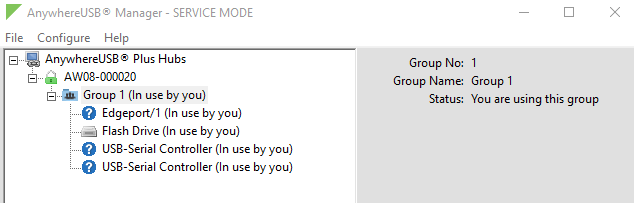
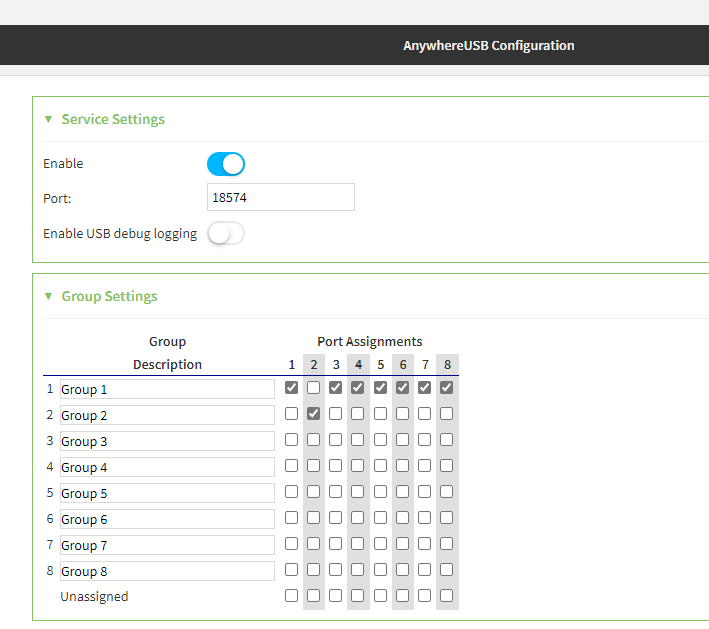
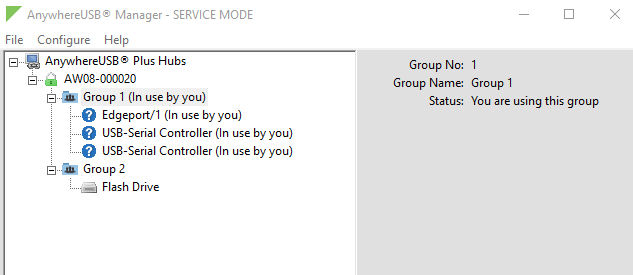
- USB device in a separated Group: If you have a device that you need to manually connect only when is needed, remove its port from the connected Group to its own Group. With this method, the connect/disconnect action on this new Group will affect only this specific device that can remain disconnected until is needed.
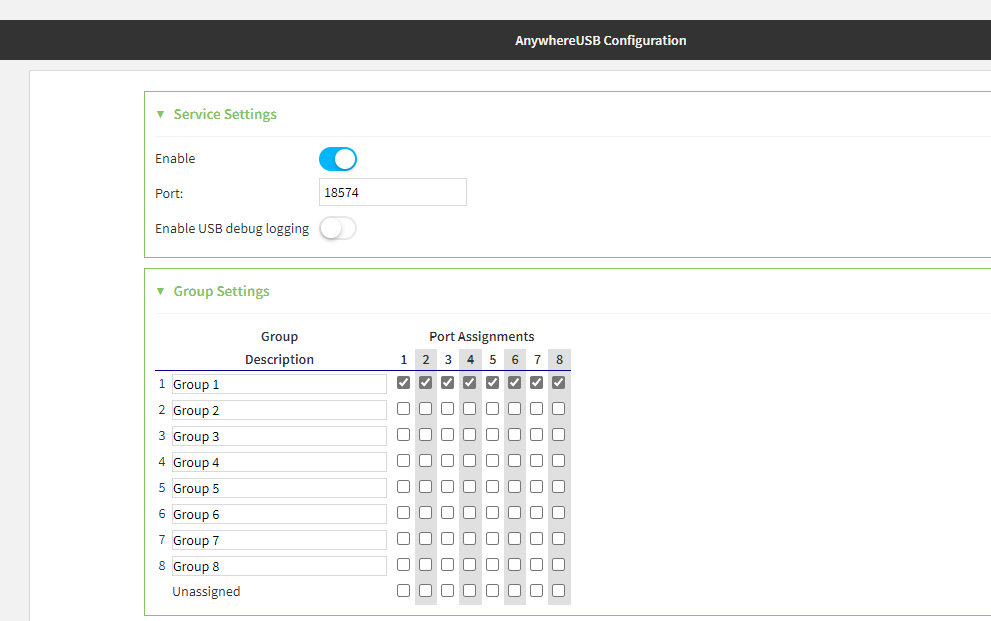
One Connected Group example:
From the AnywhereUSB Plus webUI's Dashboard, navigate to Anywhere USB Configuration on the far left:
Anywhere USB Manager:
After Moving the chosen device to its own group:
AnywhereUSB Configuration within the AnywhereUSB Plus webUI:
AnywhereUSB Manager software:
- Disable the "Power cycle on disconnect" feature: Disable this new function (which is enabled by default in the AnywhereUSB Plus starting from 22.11.48.10. There are some exceptions for the AnywhereUSB 24 Plus, please see Note 2 at the end of this article.
WEB UI:
- Connect to the AnywhereUSB Plus webUI.
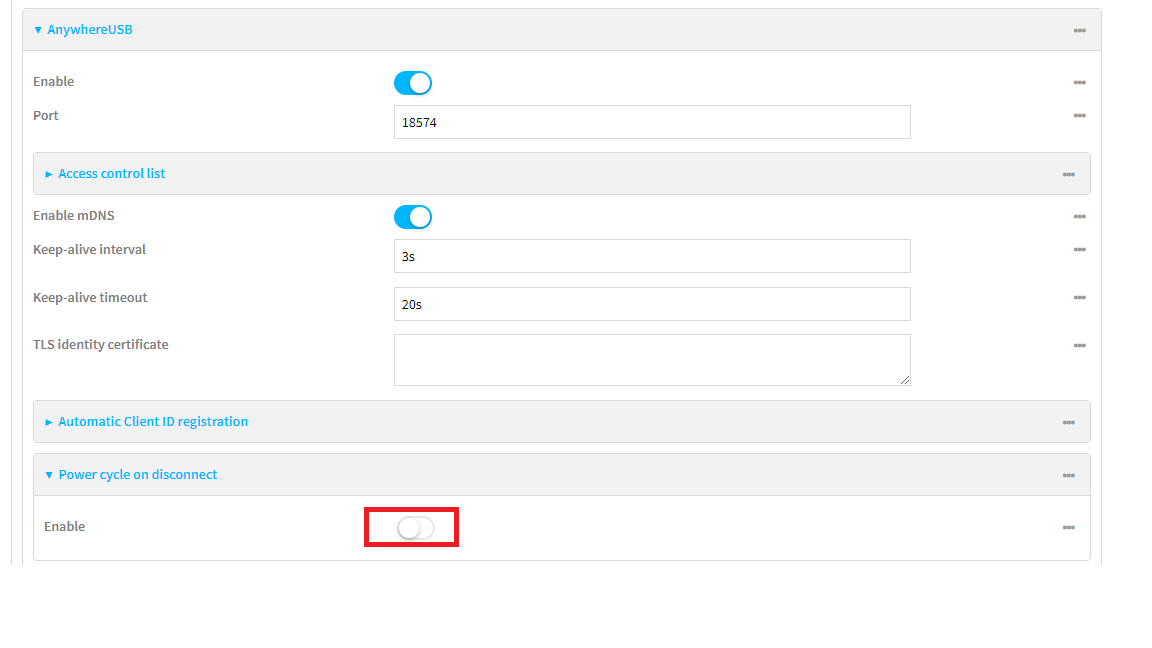
- Navigate to Device Configuration > Services > AnywhereUSB.
- Expand "Power cycle on disconnect".
- Toggle the blue Enable slider such that it's grey to disable the feature.
- Click Apply to save the changes.
Admin CLI:
- Connect to the AnywhereUSB Plus by using a serial connection, SSH, the Terminal in its webUI, or the device's Console tab within Digi Remote Manager.
- Issue the following command:
config service anywhereusb power_cycle_on_unbind enable false
Note 1: this feature is “global”, so when is disabled, it will be disabled for all the USB devices connected to the AnywhereUSB Plus, and this may cause certain USB devices (especially security tokens) to refuse to operate properly after being disconnected until that USB device is power cycled.
Note 2: This feature is disabled by default on the AnywhereUSB Plus 24 variant without Wi-Fi. If your device has a serial number greater than or equal to AW24-010000, this feature can be enabled. Otherwise, the feature does not work as expected and should not be enabled.
Last updated:
Aug 18, 2026